

DuneTraq / Sharing

Good drives
deserve a story.

The route, the climb, that one photo at the crest. Bring the pieces together in a Share Card and give your crew something worth keeping after the drive.

Explore Sharing
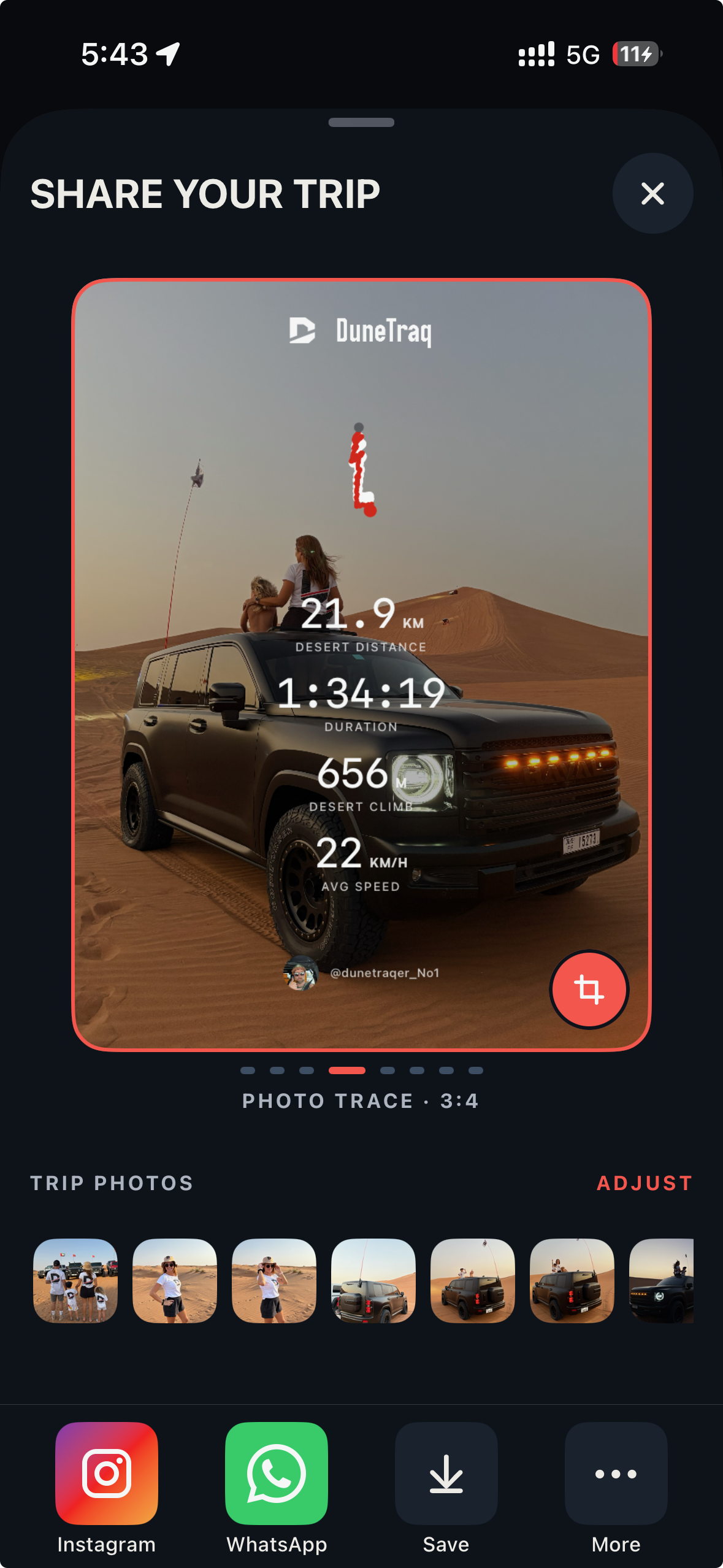
Real DuneTraq Photo Trace sharing screen with a desert drive photograph, recorded route, trip statistics and driver avatar
PHOTO TRACE · REAL IPHONE SCREENSHOT
01

Put the drive in the frame.

Choose a Share Card template that brings the trip's route and driving statistics together with your own photos. Start from a saved drive, choose a template and decide which part of the day you want to show. The route supplies the shape of the story; the numbers give it context; your photograph makes it personal. Review the finished preview before exporting.
02

Your photos. Your cover.

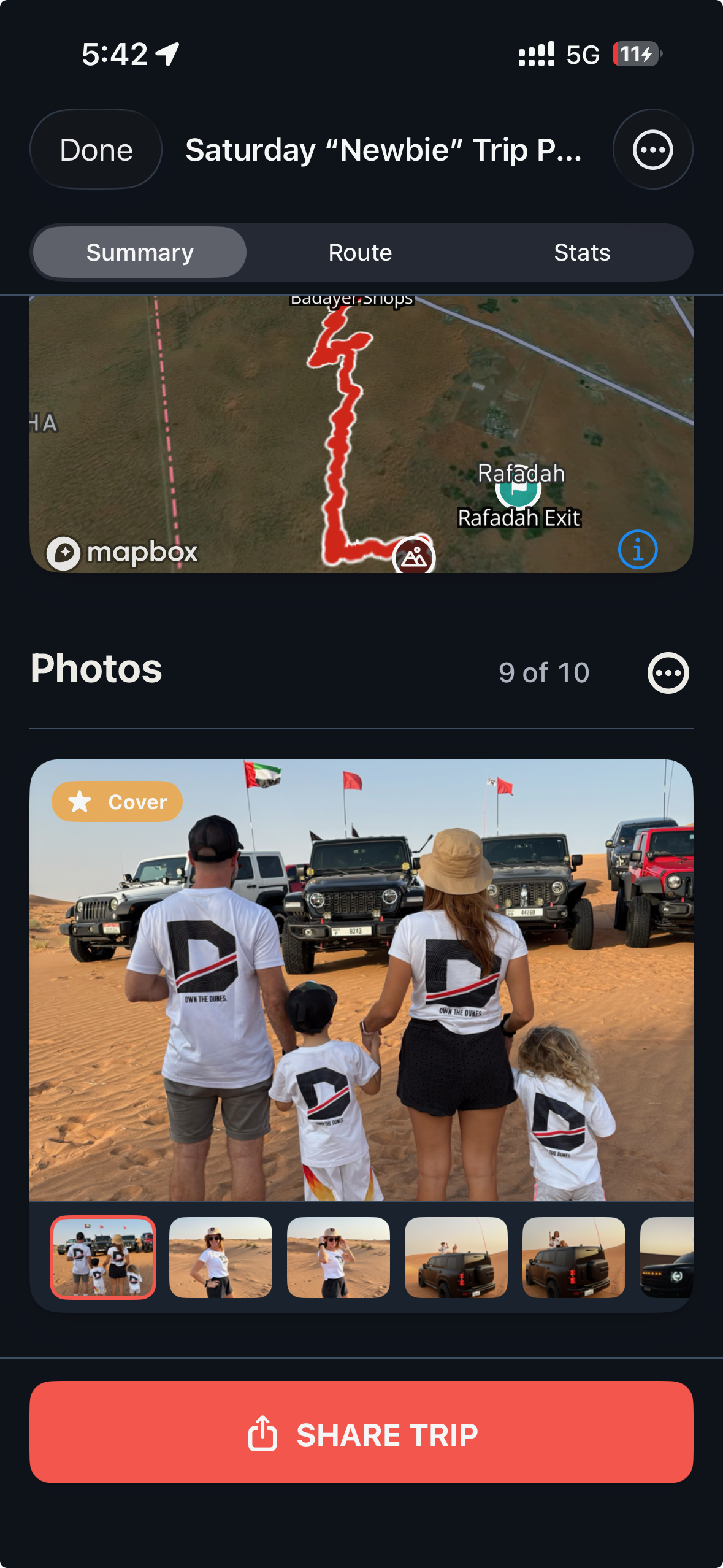
Add trip photos and choose the cover that best represents the drive. DuneTraq's composer gives you a way to bring the record and the photographs together, rather than sending unrelated screenshots into the group chat. Different card templates and portrait formats let you choose a presentation that fits the destination and the moment.

03

Take it to the conversation.

Export the card as an image and share through Instagram Stories, WhatsApp or your phone's sharing options. DuneTraq prepares the card and opens the available sharing flow; you choose the recipients and complete the post. Badge cards can celebrate a milestone, while trip cards give the crew the route and the day behind it.

Behind the Share Card

Your day.
Your photographs.

Choose the cover from your trip photos, then bring the drive into the sharing composer. A real desert day, from the saved trip to the finished card.

Real DuneTraq trip photo selection with a family wearing DuneTraq shirts in front of their desert convoy, cover selection and Share Trip button
TRIP PHOTOS & COVER SELECTION · REAL IPHONE SCREENSHOT

Make it part of your next drive

From the app.
Into your day.

01

Pick the drive

Open a saved trip and choose its sharing flow. Check that the route and recorded details are the ones you want to share.

02

Compose the card

Choose a template, add your trip photos and select the cover. Review the crop and the card preview.

03

Choose the destination

Export and open the available sharing option. Complete the post or message in the destination app.

A few useful answers

Before you head out.

Does DuneTraq post to Instagram automatically?

No. The app prepares the card and hands it to an available sharing flow. You decide whether, where and with whom to publish it.

Can I share the card with my WhatsApp crew?

Yes. Use the available WhatsApp or system sharing option to send the exported card to the conversation you choose.

What should I check before sharing a route?

A route or photo can reveal a place you visited. Review the card, its route and its photographs before choosing a public post or a private conversation.

Your next drive starts here

Bring your crew.
Make it yours.

Free to download for iPhone and iPad. Explore the app, then take your driver story into the dunes.

Get DuneTraqInterested in Android? Join the beta waitlist.